Teardown: Uber’s Workflow Reliability & The Compensating Transaction Process
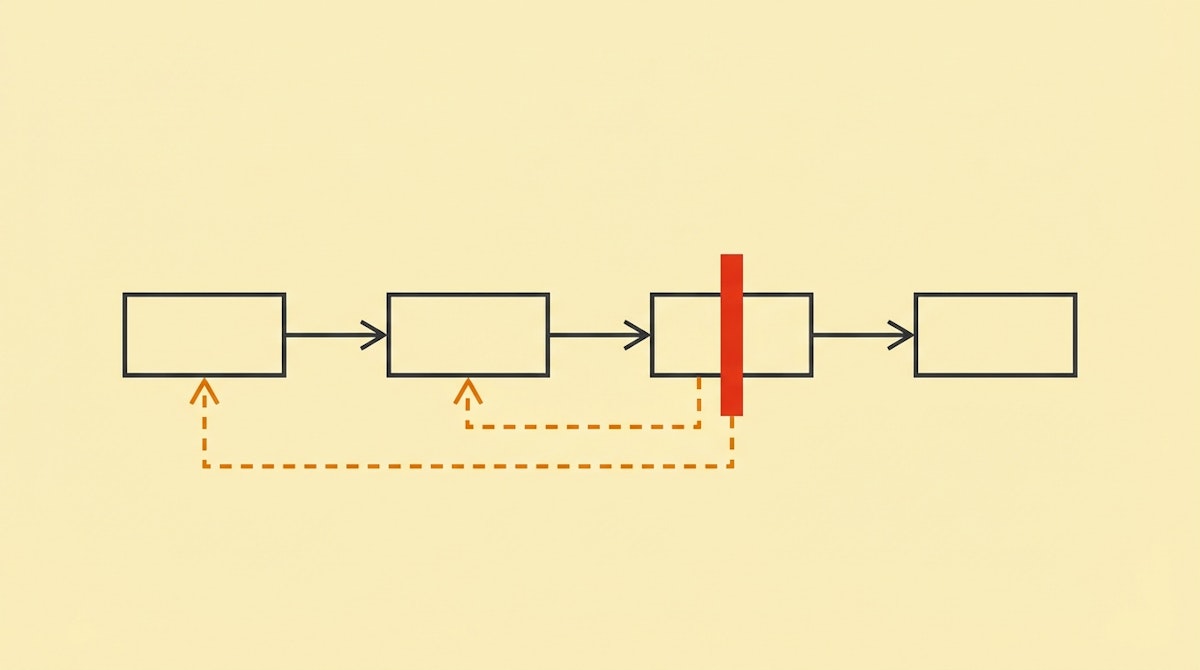
There is a specific, quiet panic that sets in when a critical Internal Ops automation fails halfway through.
I’m thinking specifically of employee offboarding. Your workflow successfully archives the user in Slack, removes them from the project management tool, but then errors out when trying to revoke their Google Workspace access.
The result is what engineers call an “inconsistent state.” The employee is half-offboarded. Security thinks they are gone; IT knows they still have email access. The automation didn't just fail; it left a mess that is harder to clean up than if it hadn't run at all.
In traditional software engineering, this is solved with ACID transactions (Atomicity, Consistency, Isolation, Durability). If one part fails, the database automatically rolls everything back. But in the world of no-code orchestration (Make, n8n, Zapier), we are glueing together independent APIs. There is no automatic “rollback.”
To solve this, we can look at how distributed systems giants like Uber handle complex, long-running workflows. They utilize a concept called the Saga Pattern, specifically focusing on Compensating Transactions.
Here is how we can adapt this engineering pattern to build resilient internal operations.
The Engineering Concept: The Saga Pattern
Uber developed an orchestration engine called Cadence (which later inspired Temporal) to manage asynchronous microservices. When you request a ride, multiple services must agree: payment, driver matching, routing, notification. If the driver matching fails after the payment authorization holds funds, the system cannot simply “crash.” It must actively release the hold.
This is the core of the Compensating Transaction Process.
In a distributed environment, you cannot force a global rollback. Instead, for every action you define in your workflow (e.g., “Create User”), you must design a specific counter-action (e.g., “Delete User”) that triggers solely if a subsequent step fails.
Implementing The Compensating Transaction Process
For the Internal Ops Manager, adopting this mindset shifts the focus from “preventing errors” to “managing state.” We accept that APIs will timeout and rate limits will be hit. The goal is to ensure the system never stays in limbo.
Here is the approach to implementing this logic in tools like Make or n8n.
1. Define the “Anti-Action” Registry
Before building the forward-moving workflow, map out the reverse logistics. This is the step most people skip. If you are automating a provisioning sequence, list the exact API call required to undo each step.
- Action: Invite user to Slack -> Anti-Action: Kick user from Slack.
- Action: Create Jira User -> Anti-Action: Deactivate Jira User.
- Action: Send Welcome Email -> Anti-Action: Send “Disregard” follow-up (or internal alert to ignore).
2. The Scope-Based Error Handler
In standard automation tools, we often place a generic error handler at the end of the scenario. The Compensating Transaction process requires granular error handling attached to specific modules or “scopes.”
If the workflow fails at Step 3, the system needs to know that it must execute the Anti-Actions for Step 2 and Step 1, in reverse order.
In n8n, this is managed via the “Error Trigger” workflow or Try/Catch nodes. In Make, you use directives (Commit/Rollback) or error handler routes attached to the module.
3. The Compensation Logic Flow
The structure of your automation changes from a straight line to a series of potential loops.
- Attempt Step A.
- If Success: Proceed to Step B.
- If Fail: Stop. (No state change occurred yet).
- Attempt Step B.
- If Success: Proceed to Step C.
- If Fail: Trigger Anti-Action A -> Send Alert -> Stop.
By explicitly programming the retreat, you ensure that a failed offboarding script doesn't leave security holes, and a failed onboarding script doesn't leave ghost accounts.
Comparing Error Strategies
The difference between a fragile workflow and a resilient one often lies in how it handles the “partial failure” scenario.
| Feature | Standard Error Handling | Compensating Transactions |
|---|---|---|
| Reaction to Failure | Stop and Alert | Revert and Alert |
| System State | Inconsistent (Messy) | Clean (Reset to Zero) |
| Manual Intervention | High (Cleanup required) | Low (Diagnosis only) |
| Complexity | Low | High |
The Reliability Payoff
Implementing the Compensating Transaction Process adds overhead. You are effectively building two workflows: one to do the job, and one to undo it. For simple tasks, this is overkill.
However, for high-stakes Internal Ops processes—like granting permissions, provisioning hardware, or managing financial approvals—the cost of an inconsistent state is far higher than the cost of build time.
When you can guarantee that a workflow either completes fully or leaves no trace, you gain a level of trust from the IT and Security teams that is rare for “no-code” implementations. It moves your automations from “scripts that usually work” to “systemic infrastructure.”
References
Microservices.io - The Saga Pattern
Cadence Workflow - Fault Tolerant Orchestration
Related posts
Safeguarding Critical Workflows With The Dead Letter Queue Process
Teardown: Terraform’s State Logic & The Idempotent Provisioning Process
Teardown: Netflix’s Reliability & The Circuit Breaker Pattern for Growth Ops

