Teardown: Superhuman’s Onboarding & The Automated Concierge Process
I have spent a significant amount of time analyzing how SaaS companies tackle the "Day 1" problem. You know the struggle: you spend weeks perfecting your product, but new users drop off within minutes because they don't immediately grasp how to apply the tool to their specific workflow.
We often assume the solution is a better UI or a flashy product tour. But sometimes, the friction isn't in the interface—it's in the relevance.
Superhuman, the premium email client, famously solved this with a controversial approach: manual, 1:1 onboarding calls for every single user. This "concierge" approach generated incredible loyalty and retention, but it relies on a luxury pricing model to sustain the headcount.
For most Growth Engineers and Operators I talk to, hiring a human onboarding team isn't feasible. However, I believe we can get 80% of that "white glove" experience using automation. I call this The Automated Concierge Process.
The Problem: The Generic "Welcome" Sequence
Most onboarding flows rely on Deterministic Logic. You ask a user their role (e.g., "Marketer" or "Developer") in a dropdown, and you dump them into a pre-written email sequence for that bucket.
The issue is that two "Marketers" can have vastly different goals. One might be trying to organize a messy database, while the other wants to automate lead scoring. Sending them the same "Getting Started" guide usually results in both of them ignoring it.
The Solution: The Automated Concierge Process
This process aims to replicate the Superhuman experience—where a user feels listened to and guided—by replacing the human account manager with a semantic analysis workflow.
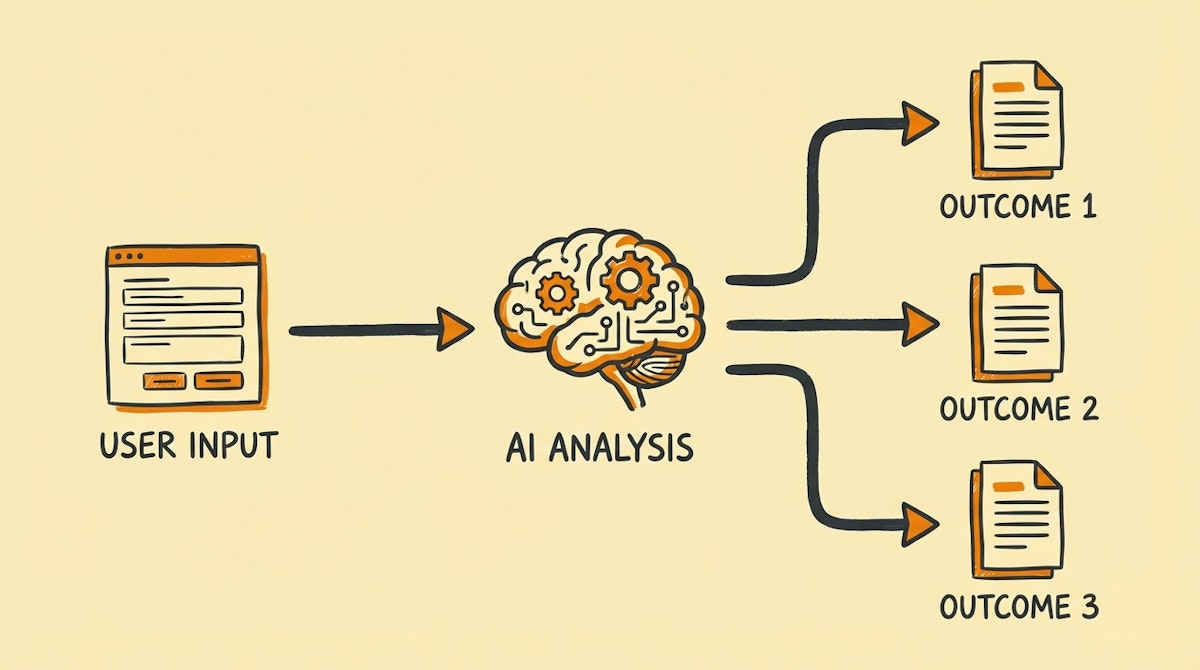
Instead of broad buckets, we use LLMs (like GPT-4 via Make or n8n) to analyze open-ended input and dynamically assemble a personalized onboarding roadmap.
Phase 1: Context Injection
The first step requires shifting from multiple-choice forms to open-ended context gathering. In a typical signup flow (using Typeform, Tally, or a custom form), instead of asking "What is your role?", you ask:
"What is the one thing you need to get off your plate today?"
This captures Intent rather than just Demographics.
Phase 2: The Semantic Router
Once the data is submitted, we don't just store it. We send it to an LLM via an automation webhook.
I have observed that simple keyword matching fails here. A user might say, "I want to stop copy-pasting data between spreadsheets." A keyword filter might miss this, but an LLM identifies the underlying intent: Data Synchronization & Error Reduction.
The LLM's job here is to act as the "Router." It tags the user against a matrix of "Jobs to be Done" (JTBD) rather than static personas.
Phase 3: Dynamic Payload Assembly
This is where the magic happens. Instead of triggering a static email template, the automation constructs a unique email payload.
Based on the JTBD identified in Phase 2, the system pulls specific "modular blocks" of content.
- The Hook: Acknowledges their specific pain point (e.g., "Here is how to stop the copy-paste madness...").
- The Asset: Links to the exact template or help doc relevant to them (not the generic help center).
- The Action: A single, bite-sized step to see value in under 5 minutes.
Analyzing The Efficiency Gains
When comparing this approach to standard drip campaigns, the difference lies in the "Perceived Effort" from the user's side vs. the "Actual Effort" from your team.
| Feature | Static Drip Campaign | Automated Concierge |
|---|---|---|
| Segmentation Logic | Rigid (Checkboxes) | Fluid (Semantic Analysis) |
| User Perception | "They sent this to everyone" | "They understand my problem" |
| Maintenance Cost | Low (Set and forget) | Moderate (Prompt tuning) |
| Conversion Impact | Baseline | High (Contextual relevance) |
Implementation Notes
For those looking to build this, I recommend starting small. You don't need a complex vector database immediately.
- Collection: Use Tally.so or Typeform. They have native integrations and feel conversational.
- Orchestration: Make (formerly Integromat) is ideal here for handling the JSON structure between the form and OpenAI.
- Delivery: Customer.io or ActiveCampaign work best because they allow you to inject large blocks of dynamic text (Liquid syntax) into emails easily.
Conclusion
The goal of The Automated Concierge Process isn't to trick the user into thinking they are talking to a human. It is to respect their time by filtering out the noise.
By aligning the onboarding experience with the user's specific intent, we build trust. Trust leads to adoption, and adoption leads to retention. While we can't all be Superhuman, we can certainly be smarter about how we welcome our users.
References
- Rahul Vohra on Superhuman's Onboarding Engine
- Make.com - Automation Platform
- Customer.io - Automated Messaging

