Teardown: Slack’s Interactive Flows & The Just-in-Time Approval Process
We often treat financial automation as a purely data-centric challenge. The assumption is usually: if we can just get the API to talk to the ERP, the problem is solved.
But in my experience observing finance teams, the bottleneck is rarely the API. It is the human behavior required to feed that API.
When a Financial Controller has to chase a department head for a missing receipt or a justification on an unclear expense, the automation breaks down. It reverts to the "Email Chase"—a manual, high-friction loop that frustrates everyone involved.
The most successful implementations I have analyzed do not force users to log into a specialized procurement portal to fix these errors. Instead, they bring the interface to where the user already is.
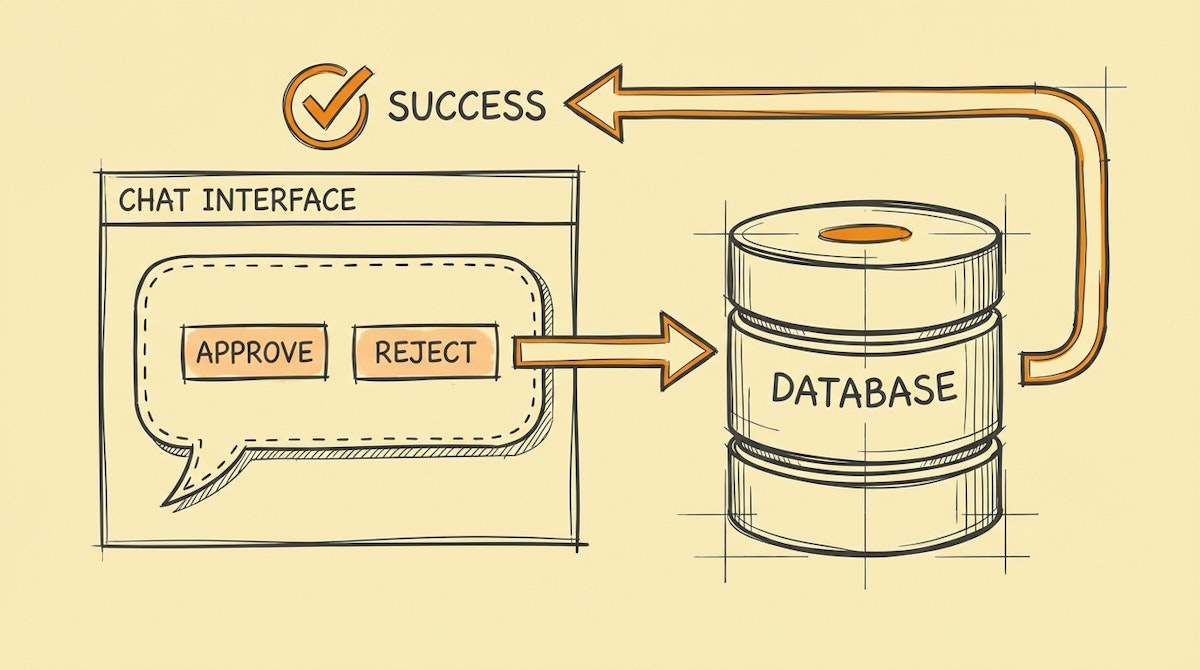
This is the Just-in-Time Approval Process, a blueprint heavily inspired by how modern tools like Slack (via Block Kit) and Microsoft Teams (via Adaptive Cards) handle interaction. By moving the "exception handling" into a chat interface, we can drastically increase user adoption and data accuracy without friction.
The Architecture: Moving Beyond Static Forms
Most financial automations are linear: Input → Process → Output. If the input is bad, the output is an error log that the Controller has to fix manually.
The Just-in-Time Approval Process adds a recursive loop. It detects data quality issues immediately and pings the human for a micro-correction before the data ever touches the General Ledger.
Here is the component list for this architecture:
1. The Watcher (Ingestion Layer)
This is standard. You listen for a new invoice via email, a new row in a centralized budget sheet, or a card transaction.
- Tools: Zapier/Make triggers, Webhooks.
- Role: Detect the event, do not process it yet.
2. The Screener (The Policy Engine)
Instead of blindly accepting the data, this layer runs it against your "Rules of the Road." This can be a deterministic lookup (e.g., "Is the amount > $500?") or a semantic check using an LLM (e.g., "Does this vendor match the marketing budget description?").
- Tools: OpenAI (GPT-4o), Claude 3.5 Sonnet, or simple Conditional Logic in Make.
- Role: Flag transactions that lack context or violate policy.
3. The Interrogator (The Interactive Interface)
This is the core of the User Adoption theme. If the Screener flags an issue, the system does not send an email. It sends an Interactive Message to the relevant human (the spender or the manager).
Using Slack Block Kit or Teams Adaptive Cards, the message contains:
- Context (The Invoice/Transaction details).
- The Question ("Missing Project Code" or "Budget Exceeded").
- Action Buttons ("Approve Exception," "Reject," or a dropdown to "Select Project Code").
The user clicks a button inside the chat. They do not log in anywhere. This lowers the cognitive load significantly.
4. The Scribe (The System of Record)
Once the human interaction resolves the uncertainty, the automation proceeds to update the ERP or Accounting Software (Quickbooks, Xero, NetSuite).
Why Interaction Drives Adoption
The "People Factor" is the hardest part of automation. If you ask a Sales VP to log into NetSuite to approve an invoice, they will delay it for weeks. If you send them a Slack message with a big green "Approve" button, they will click it in seconds.
Here is how this approach changes the dynamic:
| Metric | The Email Chase (Legacy) | Just-in-Time Approval (Modern) |
|---|---|---|
| User Friction | High (Login required) | Zero (In-chat action) |
| Response Time | Days/Weeks | Minutes |
| Data Quality | Low (User rushes to finish) | High (Contextual prompts) |
Strategic Takeaway
Automating the "Happy Path" (perfect invoices, clear budgets) is easy. The value of a Financial Controller's time is saved in the Edge Cases.
By treating the "Request for Information" as a product feature—designing it to be interactive, simple, and integrated into the tools your team already uses—you shift the burden of data quality from the finance team back to the data owners, without them feeling burdened.
This is how you move from being a "Gatekeeper" who rejects expenses to an enabler who keeps the business moving fast while maintaining strict controls.

