Review: Relay.app’s Native Human-in-the-Loop Architecture For Reliable Workflows
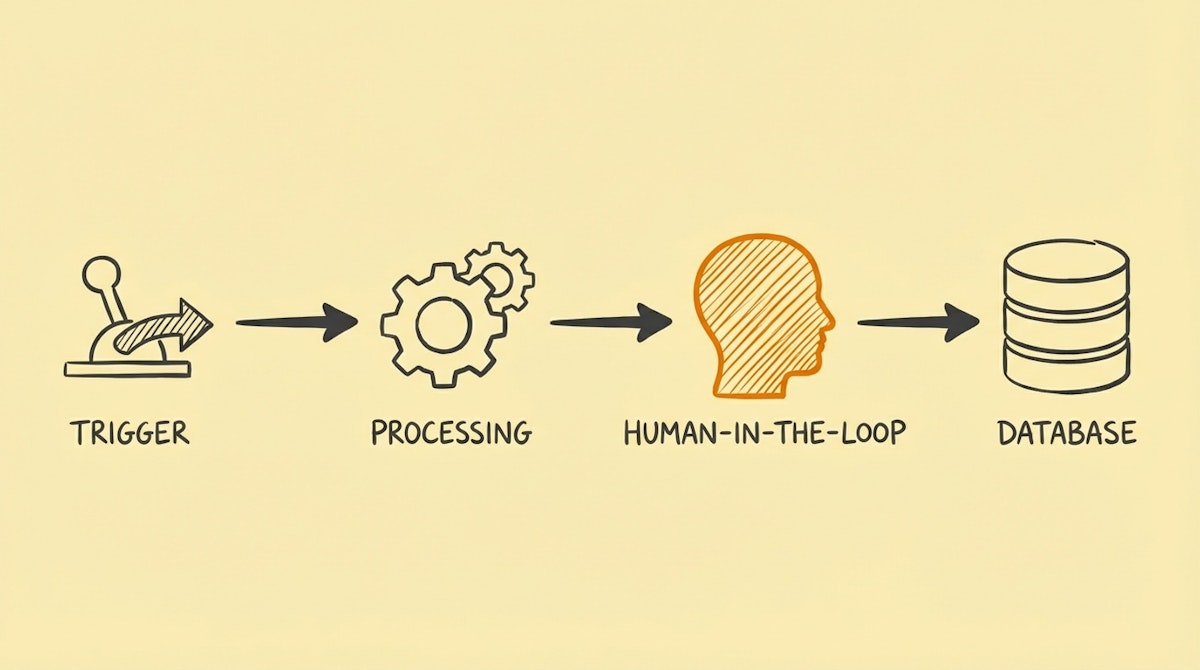
We often talk about automation as if the goal is zero human intervention. But in internal operations—specifically HR, finance, and client onboarding—removing the human entirely is often the wrong move. There are edge cases, compliance checks, and "gut feelings" that algorithms (even LLMs) aren't ready to handle safely.
For years, when building workflows in Zapier or Make, I have observed a recurring friction: implementing a simple "approval step" requires hacky workarounds. We end up building complex logic involving Slack notifications, waiting for webhooks, or setting up auxiliary database fields just to pause a workflow for a human decision.
This is where Relay.app has carved out a fascinating niche. Instead of treating human intervention as a failure of automation, they treat it as a first-class citizen.
This review looks at Relay.app not just as another integration platform, but as a specific solution for the Human-in-the-Loop (HITL) architecture required by operations teams who need efficiency without losing control.
The Core Problem: The "Black Box" Anxiety
For the Internal Ops Manager, the biggest barrier to adoption isn't technical feasibility; it's trust. Stakeholders are terrified that an automation will send the wrong contract to a client or approve a budget overflow.
In traditional tools like Make or n8n, building a "stop and wait for approval" mechanism is technically possible but architecturally heavy. You essentially have to break your automation into two parts: Part A (trigger and prep) and Part B (execution), with a manual gap in between.
Relay.app solves this by embedding the "Human Step" directly into the linear workflow. The automation runs, pauses for a specific user (or role), presents a dedicated interface for data entry/approval, and then resumes.
Feature Breakdown: How It Handles Hybrid Workflows
I spent some time analyzing how Relay handles the hand-off between machines and humans. Here is how it compares to the standard approach using generic iPaaS tools.
| Feature | Traditional iPaaS (Zapier/Make) | Relay.app Approach |
|---|---|---|
| Approval Logic | Requires external tool (Slack/Teams) | Native "Wait for Input" Step |
| Context View | Limited to notification text | Full Data Card UI |
| Setup Complexity | High (Multi-step logic) | Low (Single node) |
| Role Management | Non-existent | Role-based assignment |
1. The "Human Step" Interface
Most tools assume the user lives in Slack. Relay assumes the user might need a focused interface. When a workflow hits a human step, Relay generates a specific task view.
For example, in a Client Onboarding workflow:
- Trigger: Typeform submission.
- Auto: Generate a draft contract (Google Docs).
- Human Step: An Ops Manager reviews the draft. They can edit fields inside the Relay modal without opening the Doc.
- Auto: Send via DocuSign.
This prevents context switching—a massive silent killer of productivity.
2. Native AI Assistance
Relay has integrated OpenAI directly into the builder, but not just as a "generate text" action. It is used as a classifier and router. You can use natural language to say "If the email sounds angry, route to Support Lead; otherwise route to General Inbox."
While we can do this in Make with an HTTP request to OpenAI, having it as a native logic gate reduces the technical debt for non-engineers.
Where It Falls Short
To maintain an objective view, I have to point out where this tool might not fit.
- Complex Data Transformation: If you are doing heavy ETL (Extract, Transform, Load) operations, array aggregation, or complex JSON manipulation, Make or n8n are still superior. Relay keeps the logic linear and simple, which is a trade-off.
- Ecosystem Maturity: While they have the major apps (Salesforce, HubSpot, Notion), the long tail of integrations is smaller than Zapier’s massive library.
Best-Fit Use Cases for Ops Managers
Based on the architecture, Relay is the strongest candidate for:
- Purchase Requests: Employee submits request -> AI categorizes budget code -> Manager approves -> QuickBooks entry created.
- Content QA: Writer submits draft -> AI checks brand guidelines -> Editor approves -> CMS publish.
- Tiered Support: Ticket arrives -> AI summarizes -> Human assigns priority -> Ticket routed to Jira.
Conclusion: The Bridge Between Manual and Auto
For the Internal Ops Manager, the goal isn't always to replace the team with scripts; it's to augment their decision-making.
Relay.app effectively lowers the barrier to entry for "Safe Automation." It allows teams to automate the boring admin parts (copy-pasting data) while enforcing a hard stop for the high-stakes parts (approvals). If your primary bottleneck is "waiting for people to do things," this architecture is likely a better fit than a purely headless automation tool.

