Managing API Quotas With The Throttling Governance Checklist
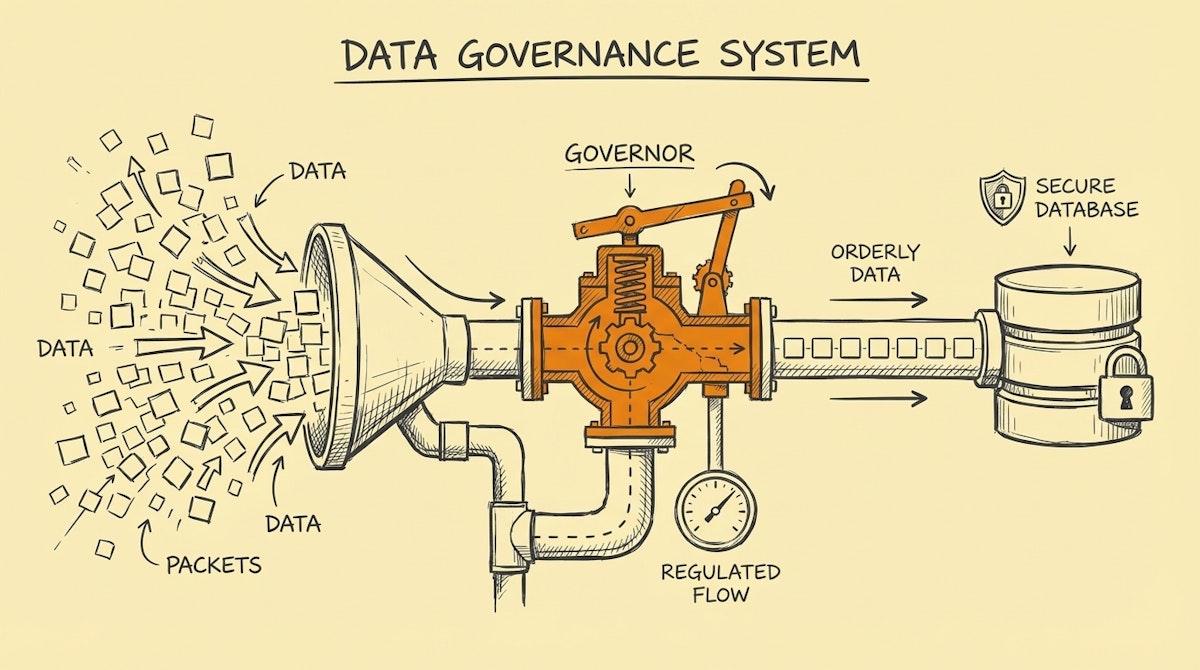
The Hidden Ceiling of Automation Success
There is a specific type of panic that sets in when a critical revenue workflow stops running, not because the logic was wrong, but because it worked too well. I have observed this often in scaling companies: a Sales Ops manager builds a lead routing workflow that works perfectly for 50 leads a day. Then, marketing launches a webinar, 500 leads arrive in an hour, and the CRM API locks the door.
This is the API Rate Limit trap. When we automate using tools like Make, n8n, or Zapier, we often forget that the platforms we are talking to—Salesforce, HubSpot, Pipedrive—have strict governance on how fast they will accept data. Ignoring this doesn't just stall a workflow; it can freeze the entire CRM for human users too.
This isn't just a technical nuance; it is a governance issue. The following checklist is a Throttling Governance Process designed to help you audit, calculate, and safeguard your automations against API exhaustion. It is less about slowing things down and more about ensuring the system survives peak loads.
Phase 1: The Capacity Audit
Before building complex loops, we must understand the constraints of the destination environment. Most documentation buries this, but it is the foundation of resilience.
1. Identify the "Burst" vs. "Daily" Limits
Most APIs have two counters. The Daily Limit (e.g., 500,000 calls/day) is rarely the problem. The Burst Limit (e.g., 100 calls/10 seconds) is the silent killer. Acknowledge that a simple "Search > Update" loop consumes 2 calls per record. If you process 100 records, you just hit 200 calls in a few seconds.
2. Inventory Concurrent Automations
I recommend mapping out which workflows trigger simultaneously. If a "New Deal" trigger fires a slack notification, a commission calculation, and a folder creation in Google Drive simultaneously, you are tripling your API consumption for a single event.
Phase 2: The Implementation Checklist
Once the limits are known, we apply controls within the automation logic itself.
3. Enforce the "Sleep" Governor
In tools like Make or n8n, the simplest defense is often the most effective. Adding a Sleep or Wait module of 1-2 seconds inside a loop processing massive arrays can artificially flatten the spike. It reduces the "requests per second" velocity to safe levels.
4. Switch from Iterators to Batch Operations
Whenever the API supports it (e.g., HubSpot's "Batch Update" endpoint), prioritize sending one request with 100 records over sending 100 requests with 1 record. This reduces API load by 99%.
5. Verify Header-Based Rate Limiting
Sophisticated setups should look for the X-RateLimit-Remaining header in the API response. I have seen effective workflows that check this number and, if it drops below a threshold (say, 10%), automatically pause execution for a set duration.
Phase 3: The Recovery Protocol
Even with governance, limits can be hit. How the system fails matters more than the failure itself.
6. Implement the 429 Retry Strategy
An API returns a 429 Too Many Requests error when throttled. Standard error handlers often treat this as a "hard fail" and stop. The correct approach is to interpret 429 as a command to wait. Configure your HTTP modules to respect the Retry-After header if provided, or use exponential backoff (wait 2s, then 4s, then 8s) before retrying.
Comparing Naive vs. Governed Architectures
Below is a comparison of how a standard automation behaves versus one protected by this throttling process during a high-volume event (e.g., 1,000 leads imported).
| Metric | Naive Loop Approach | Governed Throttling Approach |
|---|---|---|
| API Calls Generated | 2,000 (1:1 ratio) | 20 (Batching 100s) |
| Time to Completion | Fast (until crash) | Controlled (Linear) |
| Risk of Data Loss | High (Partial updates) | Low (Atomic batches) |
| System Impact | Locks CRM for users | Invisible background process |
Conclusion: Reliability is a Feature
For a Sales Ops Manager, the goal isn't just to move data; it's to maintain trust in the revenue engine. When an automation crashes due to rate limits, it leaves data in a "zombie state"—half updated, half stagnant.
By applying this Throttling Governance Process, you sacrifice a negligible amount of raw speed for a massive gain in stability. It turns a fragile script into a resilient piece of infrastructure that respects the boundaries of the ecosystem it lives in.
References
- HubSpot API Rate Limits Documentation
- Salesforce API Request Limits and Allocations
- The Token Bucket Algorithm

