The Pre-Automation Data Hygiene Process: A Checklist for Error-Free Workflows
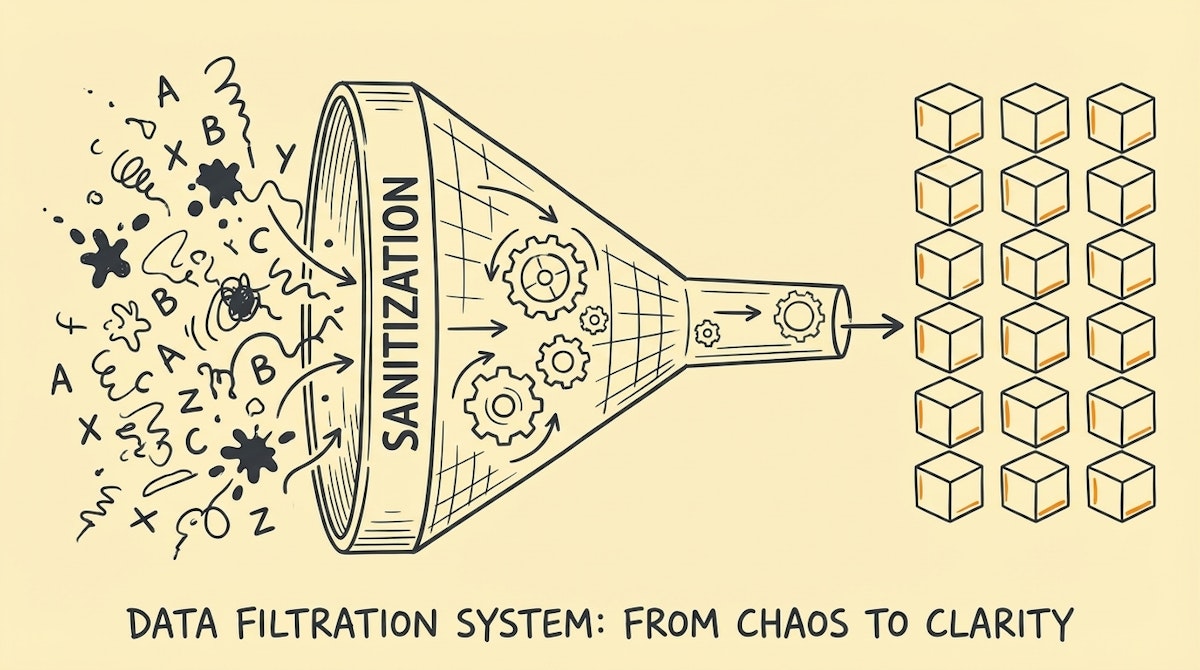
Data integrity is often the unsexy plumbing of automation that we ignore until the house floods. Early in my career, I spent weeks architecting what I thought was a perfect lead routing system, only to watch it fail silently because one data source changed a date format from DD/MM to MM/DD. The logic was sound, but the fuel was bad.
When we rush to build, we often assume the data entering our systems will be perfect. It rarely is. Whether you are scaling internal operations like we do at Alegria.group or just setting up a simple CRM sync, treating data validation as a distinct phase—rather than an afterthought—is critical.
Below is the Pre-Automation Data Hygiene Process. It is a checklist I use to audit data sources and set up "guard rails" in Airtable and Make before turning on any mission-critical workflow. This prevents the dreaded "scenario run success" notification that actually processed garbage data.
Phase 1: Source Lockdown (Airtable)
The best way to clean data is to prevent it from getting dirty in the first place. This starts with rigid database schema design.
1. Enforce Strict Field Types
Don't rely on "Single Line Text" for everything. If a field should be a number, set it as a Number. If it's a date, use the Date field. This forces the UI to reject non-compliant data at the entry point.
2. Dropdown vs. Free Text
Wherever possible, replace free text inputs with Single Select fields. This eliminates typos (e.g., "California" vs. "Calif." vs. "CA") that break conditional logic in your automation.
3. The Unique ID Formula
Never rely on a record's name as a unique identifier. Create a formula field in Airtable that concatenates relevant data (e.g., CONCATENATE({Email}, "-", {Created Date})) or use the internal Record ID to ensure you always have a reliable key for matching records.
Phase 2: In-Flight Sanitation (Make)
Once data leaves the database and enters Make, you must assume it carries hidden errors. Treat this phase as a decontamination chamber.
4. The Whitespace Trimmer
Trailing spaces are the silent killers of automation. A user copying an email often accidentally grabs a space at the end (user@email.com ). To a computer, that is not the same as user@email.com. Use the trim function in your initial Make modules to strip these automatically.
5. Date Format Unification
If you are ingesting data from multiple sources (e.g., Typeform, Stripe, and a CSV import), standardization is mandatory. Parse all dates into ISO 8601 format immediately upon ingestion. Do not pass ambiguous dates deeper into your scenario logic.
6. The "Search Before Create" Logic
Duplicates bloat systems and confuse reporting. Before creating a new record, always run a "Search" module. If a record exists, update it; if not, create it. This simple logic step saves thousands of manual cleanup hours later.
7. Null Value Handlers
What happens if a required field is empty? If your automation tries to perform math on a null value or use a missing email address, it will error out. Use ifempty() functions to set default values (e.g., "Unknown" or "0") so the automation flows without breaking.
Phase 3: Stress Testing & Integrity
8. The Case Sensitivity Check
Remember that many systems treat "Status: Active" and "Status: active" as different values. Ensure your filters lower-case everything before comparing strings to avoid skipped records.
9. Isolate the "Human in the Loop"
Identify which data points are subjective and require human review. Create a specific "To Review" view in Airtable. Automations should only trigger on records that have passed this specific checkpoint, rather than triggering on every new record created.
10. Error Routing
When—not if—bad data breaks a scenario, where does it go? Don't let it die in the execution log. Set up an error handler route in Make that catches the error and creates a task in a dedicated "Debug" table with the input data payload. This allows you to fix the data and retry without losing the information.
Conclusion
This checklist might feel like it slows down the build process. It does. But in my experience, the time spent here is paid back tenfold in system reliability. Automation is only as good as the data it runs on; by enforcing this hygiene process, you ensure that your operations scale on a foundation of trust, rather than a shaky pile of assumptions.
References
- Make (Automation Platform): https://www.make.com/
- Airtable (Database): https://airtable.com/

