Teardown: DoorDash’s Menu Digitization & The Schema-First Normalization Process
Introduction
One of the most frustrating aspects of internal operations is the "Last Mile" of data entry. You likely have a sophisticated CRM or ERP, but the data you need to put into it arrives in the worst possible formats: PDF invoices, screenshots of spreadsheets, or messy email threads from new partners.
I have spent years trying to automate this intake process. Early on, I relied on strict Regex rules or expensive OCR templates, but they broke every time a vendor changed their layout.
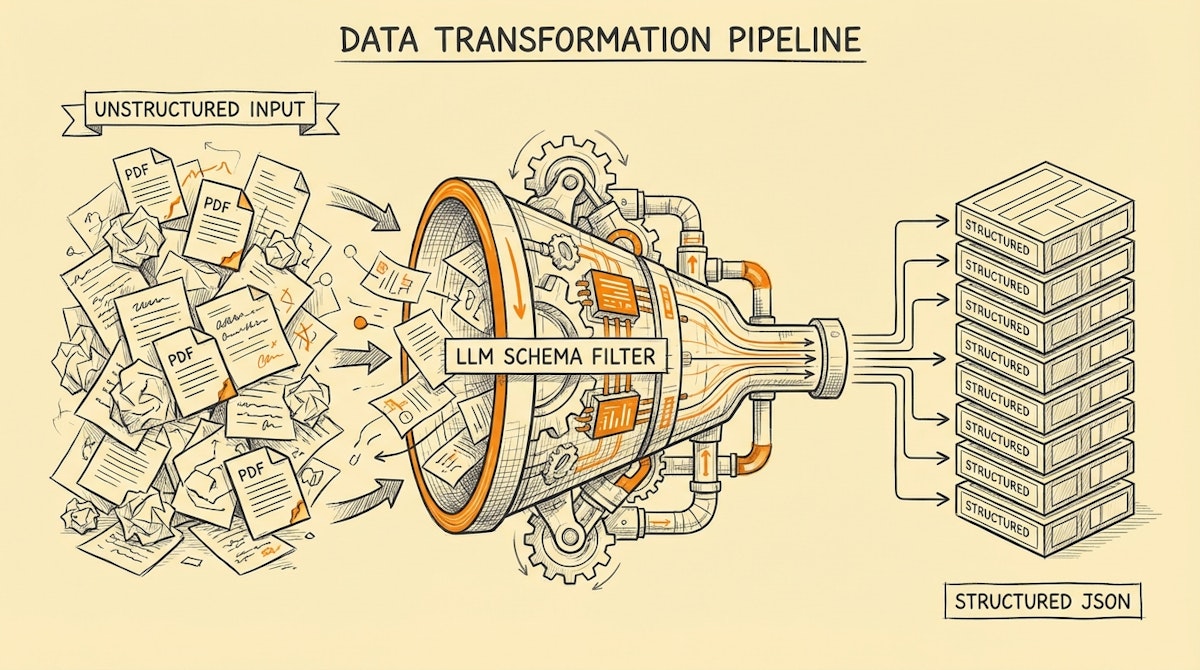
We can look at DoorDash for a lesson in solving this at scale. When they onboard thousands of restaurants, they don't manually re-type every burger description. They face the ultimate unstructured data problem: physical menus. By observing their engineering blogs, we can identify a pattern I call the Schema-First Normalization Process. It’s a method we can replicate using modern LLMs to turn messy inputs into strict, reliable database records.
The Challenge: The Unstructured Intake Bottleneck
For an Ops Manager, the bottleneck usually looks like this:
- Ingestion: A partner sends a file (PDF/Image).
- Friction: The data is valuable but locked in a visual format.
- Manual Work: A human reads the file and types it into a structured form (Airtable, Salesforce, SQL).
DoorDash faced this with millions of menu items. If they relied on humans to transcribe menus, their unit economics would collapse. If they relied on basic OCR, the data would be riddled with typos, destroying the customer experience.
The Blueprint: The Schema-First Normalization Process
The solution isn't just "using AI." It is about constraining AI. The core concept is shifting from extracting text to fitting content into a strict schema.
Here is how we can architect this workflow using tools like Make or n8n paired with OpenAI (GPT-4o).
Phase 1: The Raw Ingestion
The trigger is rarely a clean webhook. It is usually an email attachment or a file upload.
- Action: Detect the file type.
- Step: If it is a PDF or Image, pass it to a vision-capable model. Do not use standard text scrapers here; you need the visual context (e.g., understanding that a price listed next to a "Combo" applies to the whole group).
Phase 2: The Constrained Extraction (The Core)
This is where most automations fail. Ops teams often prompt the AI: "Read this invoice and give me the total." This leads to hallucinations or inconsistent formatting (e.g., "$100" vs "100.00").
Instead, we apply Schema Enforcement. In OpenAI's API, this is known as "Structured Outputs." You define a JSON Schema (a strict blueprint of what the data must look like) before the AI reads a single word.
- Concept: You aren't asking the AI to write text; you are asking it to fill out a form that rejects invalid answers.
- Tech Stack: Use the
response_format: { type: "json_schema" }parameter in your API call.
Phase 3: The Validation Gate
Even with a schema, the AI might capture data that is technically "valid" JSON but logically wrong (e.g., a date in the future for a past invoice).
- The Guardrail: A script (JavaScript in Make/n8n) validates the logical constraints.
- Logic:
If (Total_Amount != Subtotal + Tax) { Route to Human Review }.
Comparison: Legacy OCR vs. Schema-First Normalization
Understanding the difference between traditional extraction and this modern approach is vital for securing stakeholder buy-in.
| Feature | Legacy OCR / Regex | Schema-First LLM |
|---|---|---|
| Resilience | Brittle (Breaks on layout change) | High (Understands context) |
| Setup Time | High (Template training) | Low (Prompt & Schema only) |
| Data Type | Strings (Text only) | Typed (Booleans, Arrays, Numbers) |
| Cost at Scale | Low (Per page) | Moderate (Per token) |
Implementing the Process
I have observed the best results when this process includes a "Confidence-Based Handoff." You don't need to automate 100% of the intake. Automating 90% and routing the confusing 10% to a human is a massive win.
- Define your Schema: specific data types are mandatory. Do you need the date in ISO 8601 format? Define it in the schema.
- Build the Pipe: In Make, use the OpenAI module. In the prompt, paste the raw text (or image URL). In the settings, strictly define the function call or JSON output structure.
- The "Sanity Check" Node: Before pushing to your ERP, check for null values in critical fields. If a critical field is null, trigger a Slack notification with a link to the original document for manual review.
Conclusion
The goal of the Schema-First Normalization Process isn't just to save typing time. It is to create a trusted layer between the messy outside world and your pristine internal database.
By treating external documents as data ingestion problems rather than reading tasks, you eliminate the "garbage in, garbage out" cycle that plagues most operational dashboards. Like DoorDash, you can turn chaotic inputs into a competitive advantage.

