Contrarian: Stop Automating The "Send" Button To Fix Adoption (Ref: Superhuman)
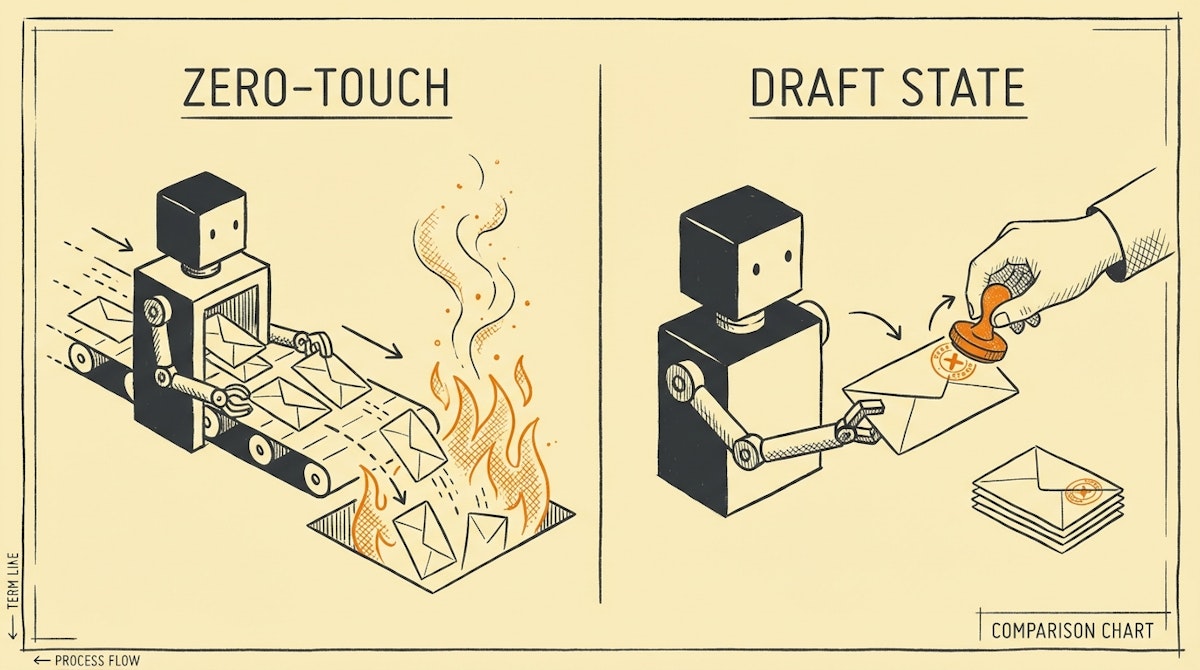
The "Zero-Touch" Fallacy in Operations
I have observed a recurring pattern among ambitious Operations Managers and Automation Engineers. We tend to judge the success of a workflow by how little human intervention it requires. The gold standard, we tell ourselves, is "Zero-Touch": data comes in, logic runs, and the final action (an email, a payment, a Slack message) executes automatically.
Technically, this is efficient. Psychologically, it is often a disaster for user adoption.
When we deploy fully autonomous processes for non-technical teams (Sales, HR, Finance), we often encounter resistance. The stakeholders revert to manual processes or "shadow ops" (spreadsheets we don't see) because they do not trust the machine to represent them correctly in high-stakes situations. They fear the "Black Box"—the anxiety that an automation might send the wrong data to a client or approve a budget error without a safety net.
To drive genuine adoption, I believe we need to challenge the "Zero-Touch" ideal. Instead, we should look at the Draft State Architecture, a concept popularized by tools like Superhuman and Gmail's Smart Compose, where the system does 90% of the work but leaves the final 10%—the validation and execution—to the human.
The Draft State Architecture
The Draft State approach changes the definition of "Done." Instead of the automation's endpoint being the execution of a task (e.g., Gmail: Send Email), the endpoint becomes the staging of a task (e.g., Gmail: Create Draft).
This simple shift in logic moves the human from being a "monitor" (who only hears about errors) to an "approver" (who feels in control).
Here is how the dynamics change when you stop automating the final mile:
| Metric | Zero-Touch (Fully Auto) | Draft State (Staged) |
|---|---|---|
| User Control | None (Passive) | High (Active) |
| Trust Level | Low (Fear of error) | High (Verification) |
| Error Recovery | Difficult (Retractions) | Easy (Edit before send) |
| Adoption Speed | Slow (Skepticism) | Fast (Safe trial) |
Implementing The "Staged" Workflow
Transitioning to this model requires a slight adjustment in how we build in tools like Make or n8n. Instead of a linear path from Trigger to Action, we introduce a "Staging Layer."
Here is the theoretical framework I use for client-facing or financial automations:
1. Ingestion & Logic
This remains unchanged. You capture the data (e.g., a Typeform submission or a CRM status change) and process it. You might use an LLM like GPT-4 or Claude to generate copy or analyze sentiment.
2. The Artifact Creation (Staging)
Instead of sending the output, you create an artifact.
- Email: Use the
Create Draftmodule in Gmail or Outlook. Add a specific label, such as "Bot-Drafted," so the user can easily find it. - Slack/Teams: Instead of posting to a public channel, use Slack Block Kit to send an ephemeral message or a direct message to the user containing the proposed text and a button.
- CMS/Docs: Create the document in Notion or Google Docs but leave the status as
DraftorReview Needed.
3. The Notification Loop
The automation ends by pinging the human: "I have prepared the onboarding email for client X. It is in your Drafts folder. Please review and hit send."
Why This Wins Hearts and Minds
This approach aligns with Nielsen’s Usability Heuristics, specifically "User Control and Freedom." By automating the tedious parts (data entry, formatting, initial drafting) but reserving the authoritative action for the human, you reduce the cognitive load without stripping away agency.
I have observed that once users realize the "Draft" is consistently 99% accurate, they eventually ask: "Can we just have it send automatically?"
That is the moment of victory. You don't force automation on them; they request it because they have built trust in the system through repeated, safe interactions.
Conclusion
Efficiency is not just about server processing time; it is about organizational throughput. A "Zero-Touch" automation that is turned off because users are scared of it has an efficiency of zero.
By stopping at the "Draft" stage, we acknowledge the human need for oversight. We build systems that feel like helpful assistants rather than rogue machines. In the long run, this reliability facilitates a smoother transition to full automation once the trust battery is fully charged.
References
- Superhuman (The fastest email experience)
- Nielsen Norman Group (User Control and Freedom)
- Slack API (Block Kit Builder)

