Quick Tip: Audit-Proofing Automations With The Execution ID Trace-Back
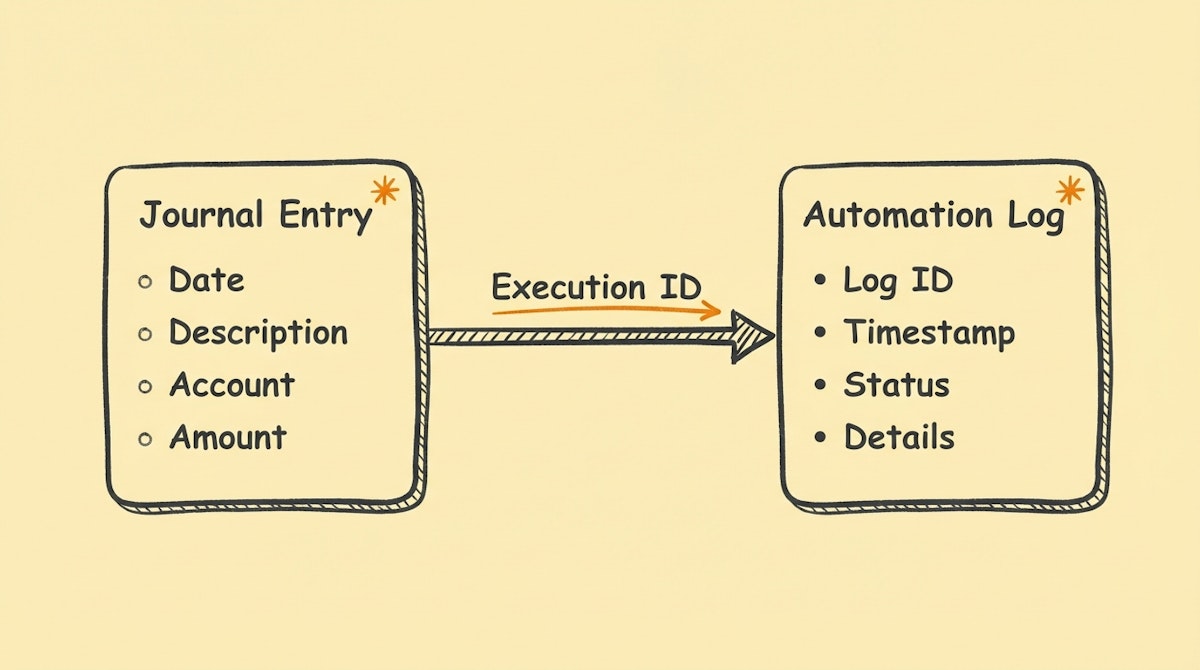
The Visibility Gap in Financial Automation
For Financial Controllers, the primary barrier to adopting automation isn't technical difficulty—it's the fear of losing the audit trail. When a human posts a journal entry, there is a clear digital signature. When an automation posts an entry, it often appears as a generic API user, making it difficult to distinguish between a routine recurring transaction and a potential error in the logic.
From what I have observed working with finance operations, this "black box" effect creates strategic misalignment. The Ops team wants speed (automation), but the Finance team needs control (traceability). If a transaction in the ERP looks suspicious, the Controller shouldn't have to email the IT team to ask, "What happened at 10:42 AM?"
There is a very simple, low-code tactic to solve this compliance gap immediately: The Execution ID Trace-Back.
The Tactic: Mapping Metadata to the Ledger
Every automation platform (Make, n8n, Zapier) generates a unique string of characters for every single "run" or "execution" of a workflow. This ID is the DNA of that specific transaction—it contains the inputs, the logic path taken, and the timestamp.
The tip is straightforward: Never create a financial record without mapping this Execution ID to the "Reference," "Memo," or "External ID" field in your accounting software.
By embedding the technical log ID directly into the financial record, you create a permanent link between the outcome (the money moving) and the process (the automation logic).
Implementation Blueprint
Here is how you can retrieve these IDs in the most common tools used for operations:
- Make (formerly Integromat): Use the system variable
{{scenario.executionId}}. - n8n: Use the global expression
{{$executionId}}. - Zapier: Zapier makes this harder as they don't expose a clean run ID in the builder easily, but you can construct a composite key using
{{zap_meta_human_time}}_{{zap_id}}to create a unique reference.
| Scenario | Standard Automation | Trace-Back Enabled |
|---|---|---|
| Audit Query | "Why is this invoice amount different?" | "Why is this invoice amount different?" |
| Investigation | Manual search through logs by timestamp (High friction). | Copy ID from ERP → Paste into Automation History (Instant). |
| Result | Uncertainty / Reliance on IT. | Root cause identified (e.g., currency conversion error). |
Why This Matters for Strategic Alignment
This small metadata tweak changes the conversation with external auditors or internal compliance teams. instead of explaining how the automation works, you demonstrate that every single automated action is retrievable and auditable.
It shifts automation from being a "shadow IT" risk to a governed financial instrument. For a Controller, this visibility is often the difference between blocking a project and championing it.
References
- ISACA: Audit Trails
- Make: Scenario Execution History
- n8n: Execution Data

